

Reject an invoice
Open the invoice on Invoice Extraction or Bill Posting Details. Both have a Reject button.
Select Reject.
In Reject Invoice?, under Select the reason for Rejection, choose the reason.
Select Confirm Rejection.
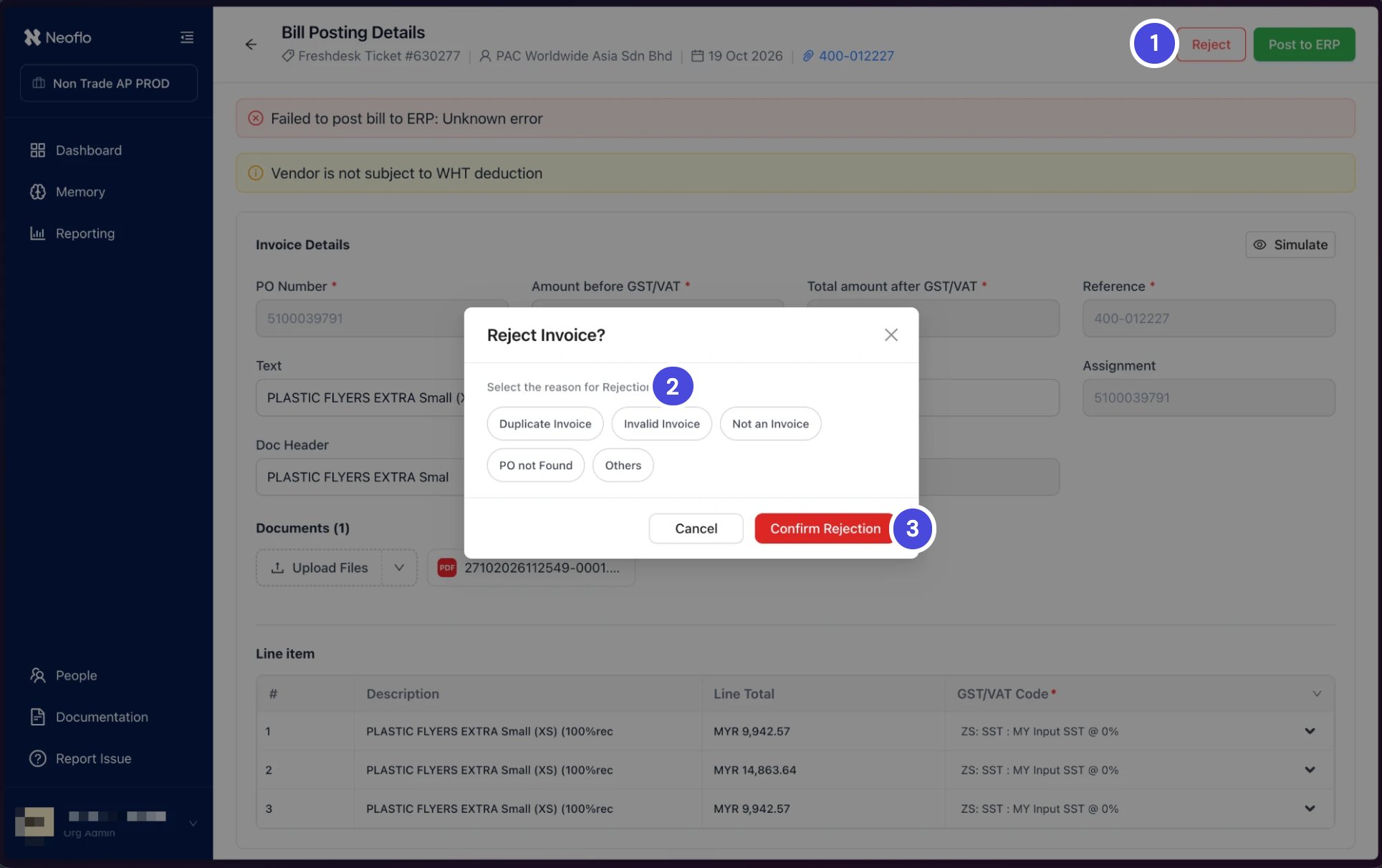
Rejecting from Bill Posting Details.
Send a rejected invoice through again
Once the cause is fixed, send the invoice through again from the dashboard. For example, an invoice rejected as PO not Found can go back through once the requester confirms the right PO.On the Invoice Dashboard, select the Closed tab.
Find the rejected invoice. Its Status reads Rejected.
Select Reprocess on its row.
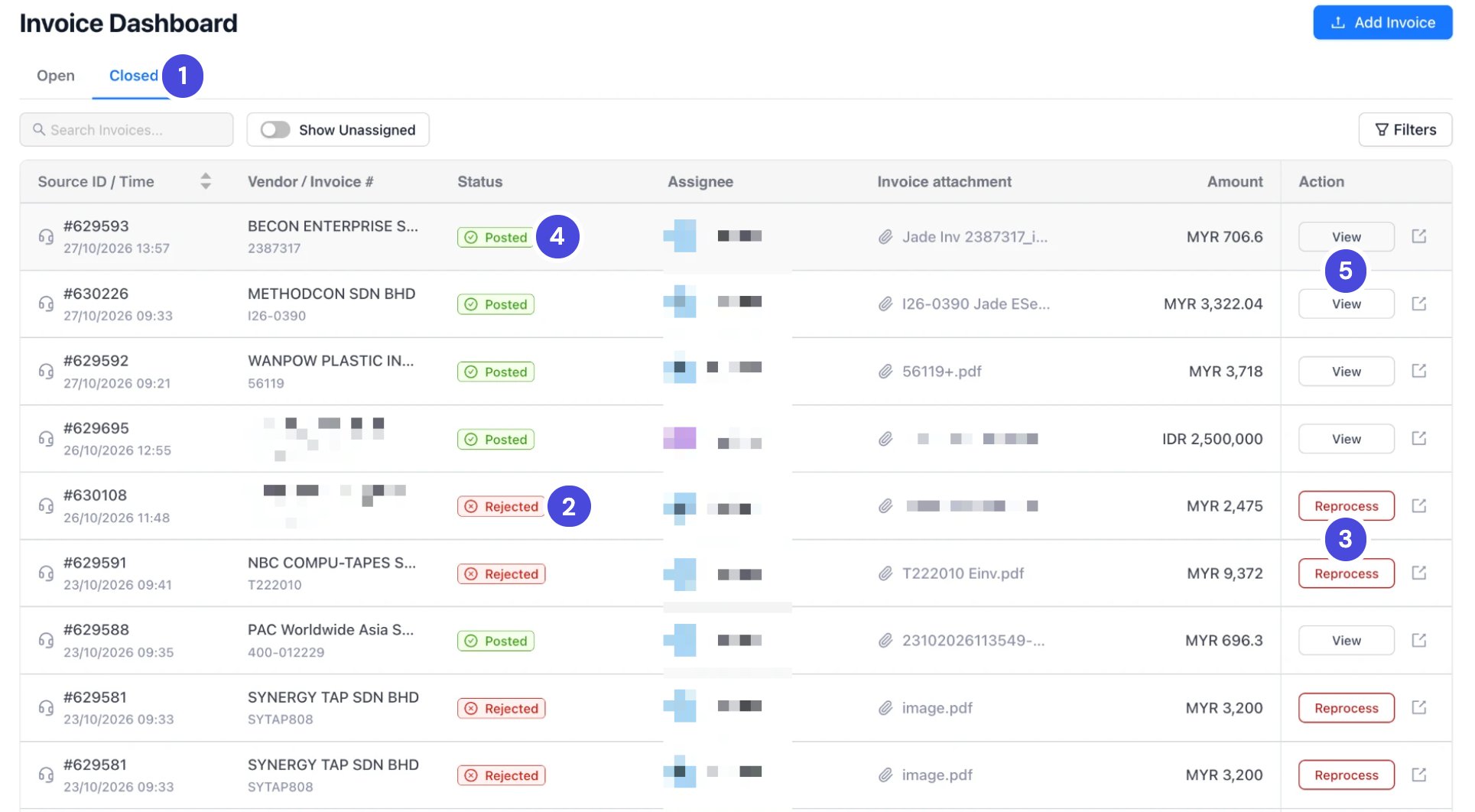
The Closed tab. A rejected invoice can be sent through again with Reprocess. A posted one can only be viewed.
Check your understanding
These questions cover all of Module 3.1. An invoice's PO number field holds an email address. What do you do?
1. An invoice's PO number field holds an email address. What do you do?
2. A 53 series invoice for SGD 579 arrives against a GR of SGD 632. What happens?
2. A 53 series invoice for SGD 579 arrives against a GR of SGD 632. What happens?
3. The PO has no GR in SAP. Can you continue?
3. The PO has no GR in SAP. Can you continue?
4. The simulation shows "Balance not zero". What's the likely cause?
4. The simulation shows "Balance not zero". What's the likely cause?
6. A 54 series invoice for SGD 900 arrives, and the PO has SGD 500 left. What happens?
6. A 54 series invoice for SGD 900 arrives, and the PO has SGD 500 left. What happens?
7. Where do you enter the SES number for a 52 series invoice?
7. Where do you enter the SES number for a 52 series invoice?