

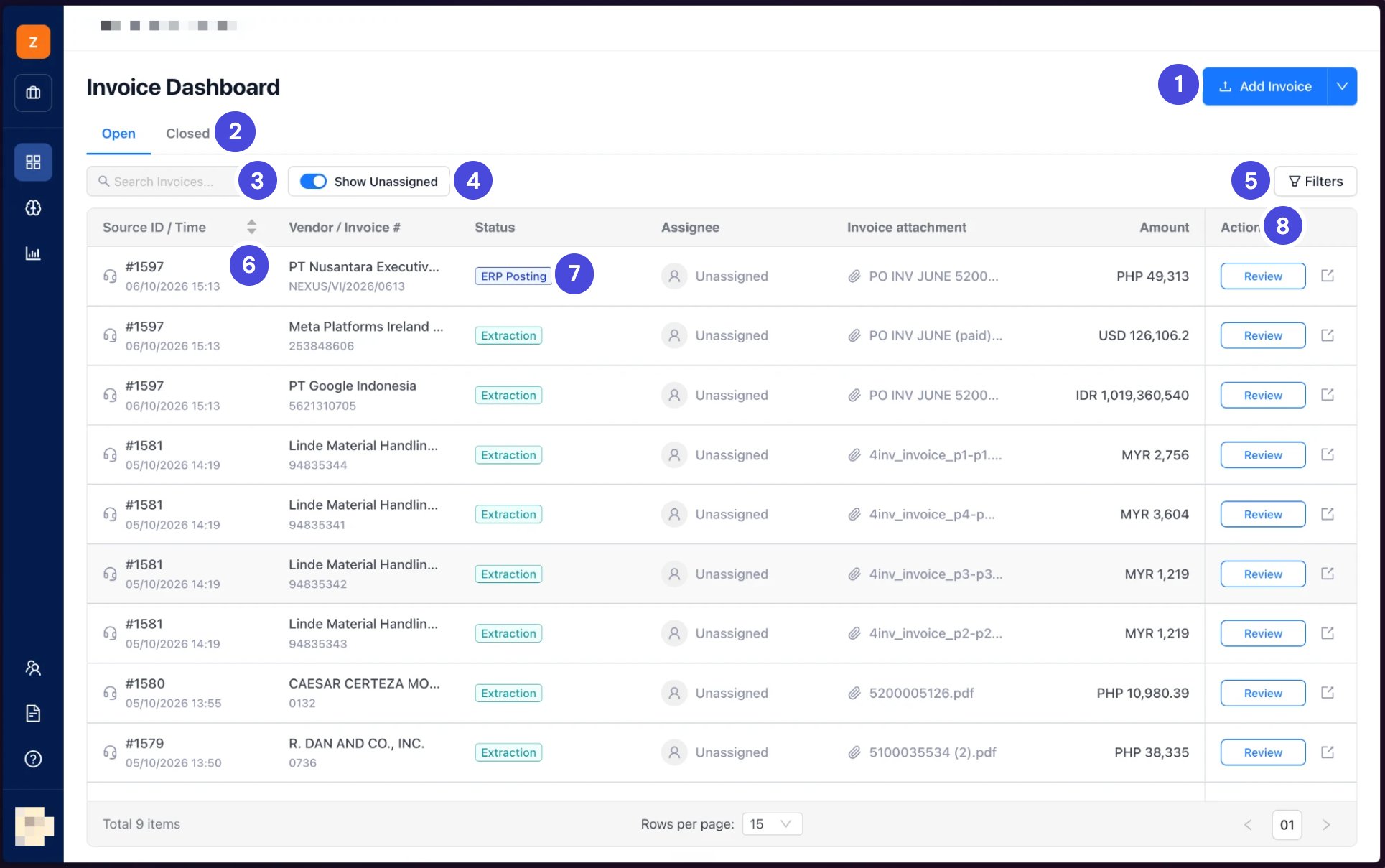
The Invoice Dashboard. Ticket #1581 holds four invoices, so it has four rows.
1Add Invoice
2Open and Closed
3Search Invoices
4Show Unassigned
5Filters
6Source ID
7Status
8Action column, with Review
Open and Closed
Open holds invoices still moving through the stages. Closed holds invoices that are finished: posted or rejected.Read a row
Find an invoice
- Search Invoices finds an invoice by a word or number, such as the vendor or invoice number.
- Show Unassigned shows only the invoices nobody is assigned to.
- Filters narrows the list by status, date range, vendor, amount, source, invoice number or assignee.
- The arrows beside Source ID / Time sort the list.